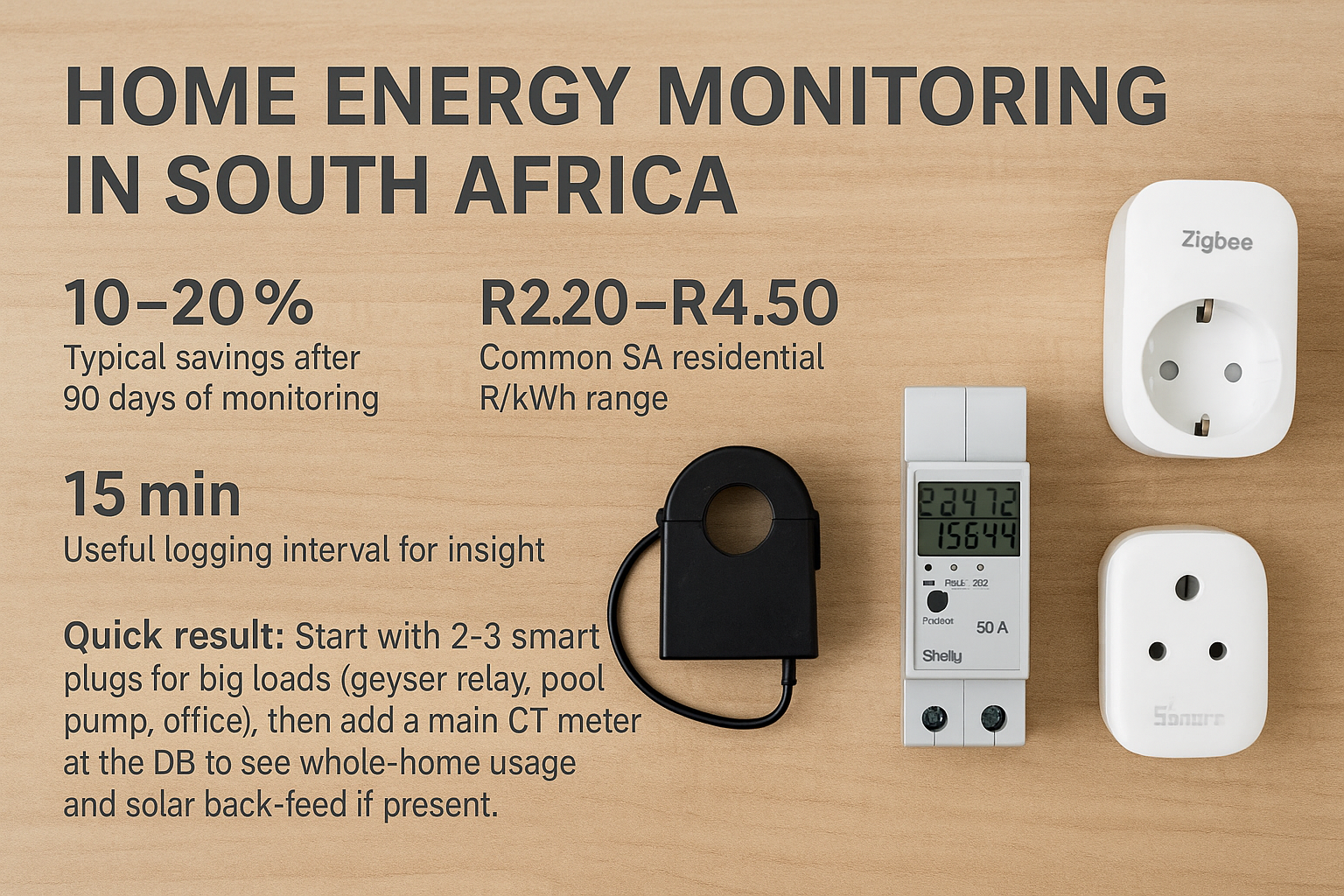
1) Why monitor
- Find base load (“always-on”) like routers, fridges, standby. Target <100 W at night.
- Time-shift loads to solar hours or cheaper tariff periods.
- Verify inverter, battery and geyser savings against bills.
- Catch faults early: stuck pool timer, failing fridge, leaking geyser element.
2) Pick sensors and meters
| Device type | Use case | Notes |
|---|---|---|
| Smart plug (Wi-Fi/Zigbee) | Individual appliances up to ~10–16 A | Energy metering + on/off + schedules. Examples: Sonoff POW P3/POWR3, Zigbee smart plugs. Ideal for office PC, heater, aquarium. |
| Inline smart relay with power | Fixed loads | DIN-rail or in-wall. Examples: Sonoff POW R3 DIN, Shelly 1PM/Pro. Use with certified enclosure and breaker. |
| CT-clamp meter (single-phase) | Main incomer or single circuit | Non-invasive CT around live. Examples: Shelly EM (2× CT), Iammeter, Efergy. Good for whole-home + geyser. |
| 3-phase CT meter | 3-phase homes or solar systems | Measures import/export per phase. Examples: Shelly 3EM, Iammeter 3-phase. Works well with hybrid inverters. |
| DIN energy meter (pulse/Modbus) | Utility-style accuracy | Installed on DIN rail. Exposes S0 pulse or RS-485 Modbus to a gateway. |
Tip: Prefer devices with local API or MQTT so data remains available during internet outages.
3) Install and safety
- Smart plugs: pair near the router first; verify metering. Avoid space heaters above the plug’s rated current.
- CT meters: clamp on the live conductor only and orient as marked. Keep CT leads away from high-voltage terminals.
- DIN meters/relays: mount on DIN rail, label circuits, set tight torque on terminals, and photograph wiring for records.
4) Apps and dashboards
- Vendor apps: quick graphs and daily totals.
- Home Assistant: integrate Sonoff/Shelly/Iammeter; build dashboards; add automations.
- Grafana/InfluxDB: long-term storage and advanced charts via MQTT or REST.
- CSV exports: monthly CSV lets you check bills and estimate ROI.
5) Tariffs and R/kWh
South African bills combine fixed charges and energy charges. Energy charge can be flat, inclining block, or time-of-use.
| Tariff pattern | What to do | Example action |
|---|---|---|
| Flat rate | Reduce base load and runtime | Turn off pool in winter; smart schedules |
| Inclining block | Keep monthly kWh under block thresholds | Shift laundry to solar daytime to avoid higher blocks |
| Time-of-Use (TOU) | Avoid peak windows | Heat geyser off-peak or on solar; pre-cool fridge mid-day |
Rule of thumb: If your night base exceeds 150 W, each month wastes ≈ 0.15 kW × 720 h = 108 kWh (R240–R480 at common rates).
6) Automations that save money
- Geyser control: turn on when PV output > X W or during off-peak; off at 22:00.
- Pool pump: run 2–4 h/day in summer; skip if daily energy exceeds limit.
- Always-on guard: alert if base load > target for 30 min.
- Battery awareness: pause heavy loads when SOC < 30% during load-shedding.
7) Data export and APIs
- Enable MQTT on devices that support it for local streaming.
- Poll REST endpoints every 60–300 s to log to InfluxDB or a spreadsheet.
- Keep timestamp,kWh,kW,voltage per channel. Store at least a year for trend analysis.
8) Load-shedding considerations
- Power your router and any hubs on a small DC UPS. Most meters buffer data; dashboards need network to view.
- For Wi-Fi smart plugs, set power-on state to last-state or on, to avoid pumps not restarting.
- If using a hybrid inverter, log PV, grid, and battery to see true self-consumption.
What will it cost?
| Tier | Typical spec | Ballpark hardware* |
|---|---|---|
| Starter | 2× smart plugs + 1× inline relay with metering | R800–R1 600 |
| Whole-home | 1× single-phase CT meter on mains + 2× smart plugs | R1 800–R3 200 |
| Advanced | 3-phase CT meter + DB sub-circuit relays + HA dashboard | R4 500–R9 000+ |
* Hardware only; electrician time for DB work is extra.
Troubleshooting quick table
| Symptom | Likely cause | Fix |
|---|---|---|
| Readings jump or go negative | CT orientation reversed | Flip CT direction or invert in app |
| No data during outages | Router/hub off | Put networking on DC UPS |
| Plug overheating | Load exceeds rating | Use relay/DIN meter sized for the circuit |
| Totals don’t match bill | Wrong tariff or missing channels | Apply correct R/kWh and include fixed charges when estimating |
| Wi-Fi drops | Weak signal at DB/garage | Add mesh node or use Zigbee/RS-485 |
FAQ
Can I install CT clamps myself?
Clamping around an insulated conductor is non-invasive, but the DB is a hazardous area. Use a qualified electrician.
How accurate are smart plugs?
Typically within 2–5% when within rated current. Calibrate where supported and avoid near-limit loads.
Will this work without internet?
Yes if devices offer local control/APIs. Use Home Assistant or MQTT for local logging and dashboards.
Does monitoring reduce bills by itself?
Monitoring reveals waste. Savings come from actions: schedules, switching, and load-shifting.
Informational only. Work with licensed electricians for DB wiring and comply with local regulations and SANS standards.