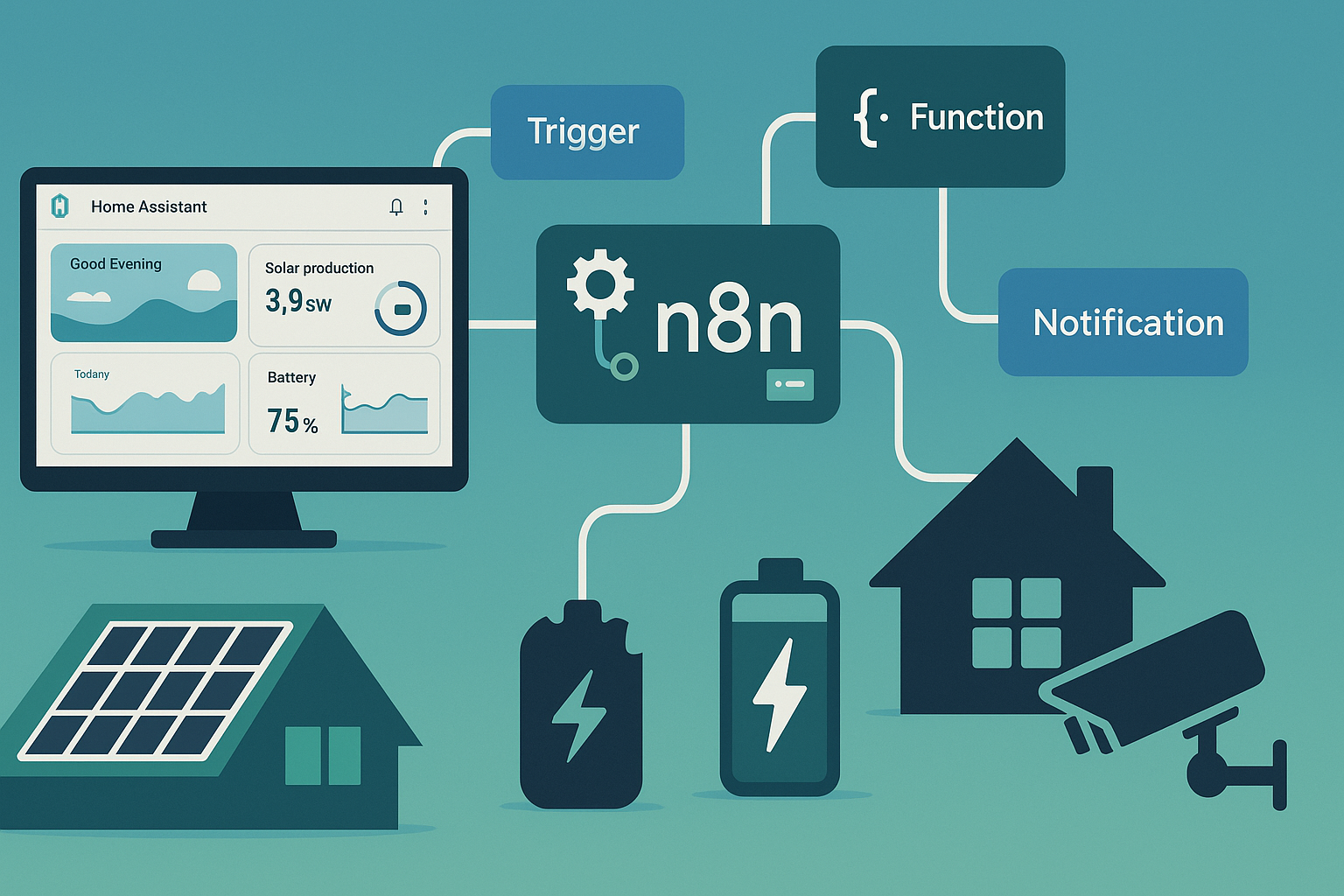
Core principles
- One job per flow: Small, readable workflows are easier to debug and reuse.
- State lives in HA: Use HA for device state; let n8n orchestrate calls and data across systems.
- Idempotent actions: Safe to rerun after outages or retries.
- Local first: Prefer LAN endpoints. Fall back to cloud if needed.
Hosting & architecture
Place n8n with your network core for low latency and resilience during load-shedding.
- Self-host: Docker on Raspberry Pi 4/5, NUC, or Proxmox VM. Map
/home/node/.n8nto persistent storage. - Cloud: n8n Cloud is simple. Expose HA securely if flows call back into your LAN.
- Pattern: Trigger → Transform (Function/IF) → Action (HTTP/HA/Notify).
# Minimal Docker run
docker run -d --name n8n -p 5678:5678 \
  -e GENERIC_TIMEZONE="Africa/Johannesburg" \
  -v n8n_data:/home/node/.n8n \
  n8nio/n8n:latest
Triggers & nodes you’ll use most
Schedule Webhook MQTT HTTP Request Home Assistant IF / Switch Function (JS) Telegram Email Google Sheets Twilio/WhatsApp provider
- Schedule: Cron and interval jobs for checks and reports.
- Webhook: Presence toggles, NVR events, third-party callbacks.
- MQTT: Consume HA or device topics for instant triggers.
- HTTP: Poll solar inverters, tariffs, weather, Eskom schedules.
Example flows
1) Load-shedding prep: charge battery, pre-cool fridge
- Trigger: Schedule every 15 min → HTTP Request to a load-shedding API.
- Logic: If outage in <= 60 min OR stage ≥ 4, ensure battery ≥ 70% and pre-cool fridge.
- Actions: HA service calls + Telegram alert.
// Function node: decide actions
const minutes = $json.minutes_to_outage ?? 999;
const stage = $json.stage ?? 0;
const soc = $json.battery_soc ?? 0;
return [{ doBoost: minutes <= 60 || stage >= 4, doPreCool: soc < 80 }];
2) Presence webhook: arm/disarm cameras and alarm
- Trigger: Webhook from phone shortcut on “Leaving/Arriving”.
- Logic: IF leaving → arm, IF arriving → disarm + entry delay.
- Actions: HA call_service + Telegram confirmation.
3) Energy bill forecast: WhatsApp summary at 19:00
- Trigger: Schedule daily 19:00.
- Logic: Pull HA meter kWh MTD × R/kWh + fixed fees.
- Actions: WhatsApp or Telegram message to “Home Admin”.
4) CCTV event → snapshot to family group
- Trigger: NVR HTTP webhook on line-crossing.
- Logic: Fetch snapshot URL, annotate time.
- Actions: Send photo via Telegram node.
5) Solar clipping watch
- Trigger: Schedule every 5 min → HTTP to inverter API.
- Logic: If PV output near inverter max for > 20 min → log event and suggest profile changes.
- Actions: Append row to Google Sheet + weekly email report.
Home Assistant integration
Use n8n’s HA nodes or plain HTTP with a long-lived token.
# Example HTTP call to HA service
POST https://ha.local:8123/api/services/switch/turn_on
Authorization: Bearer <HA_TOKEN>
Content-Type: application/json

{ "entity_id": "switch.kitchen_plug" }- Events and sensors: Keep state in HA. Publish MQTT topics for low-latency triggers.
- Retries: Add backoff after power restores to allow HA/NVR to settle.
Notifications
- Telegram: Fast, supports photos and inline buttons.
- Email: Good for daily/weekly summaries and logs.
- WhatsApp/SMS: Use a compliant provider for critical alerts.
Power & UPS during load-shedding
Keep n8n on the same essential circuit or UPS as router, switch, HA, and ONT.
- Startup order: Router/HA first, then n8n. Add a 30–60 s delay before critical flows run.
- Backups: Nightly export of workflows and credentials. Store off-device.
Security
- Credentials store: Use n8n Credentials. Never hardcode tokens.
- TLS + reverse proxy: Put n8n behind HTTPS. Use strong Webhook secrets.
- Least privilege: App-specific HA tokens and provider keys.
- Audit: Export workflows to Git for history and rollback.
Troubleshooting checklist
- Webhook URL reachable from source? Test with
curland sample payload. - Schedule firing at Africa/Johannesburg? Set the TZ env variable.
- HA token valid? Test
GET /api/statesin an HTTP node. - Function nodes handle nulls and timeouts? Add guards and retries.
- After outages, are dependencies up before flows run? Add Wait nodes.
- Provider sandboxes vs production? Switch when ready.
FAQ
Do I still need Home Assistant?
Yes. Keep device control and state in HA. Use n8n for cross-system logic and messaging.
Self-host or n8n Cloud?
Self-host is cheap and local. Cloud is simpler and rides through local power issues. Choose based on skills and reliability needs.
How many flows can a Pi handle?
Dozens of light flows. Heavy HTTP polling, image handling, or large templates benefit from a NUC/VM.
Can n8n replace HA automations?
No. Keep fast, device-level automations in HA. Use n8n for APIs, schedules, and reports.
Informational only. Follow device manuals and SA regulations. Secure tokens and webhooks. Test changes on a copy of your flows.